💸 Redemptions
Processing investor redemptions, from request to settlement.
In this section, we will guide you through the process of performing a redemption, which occurs when an investor wants to sell all or part of their fund units.
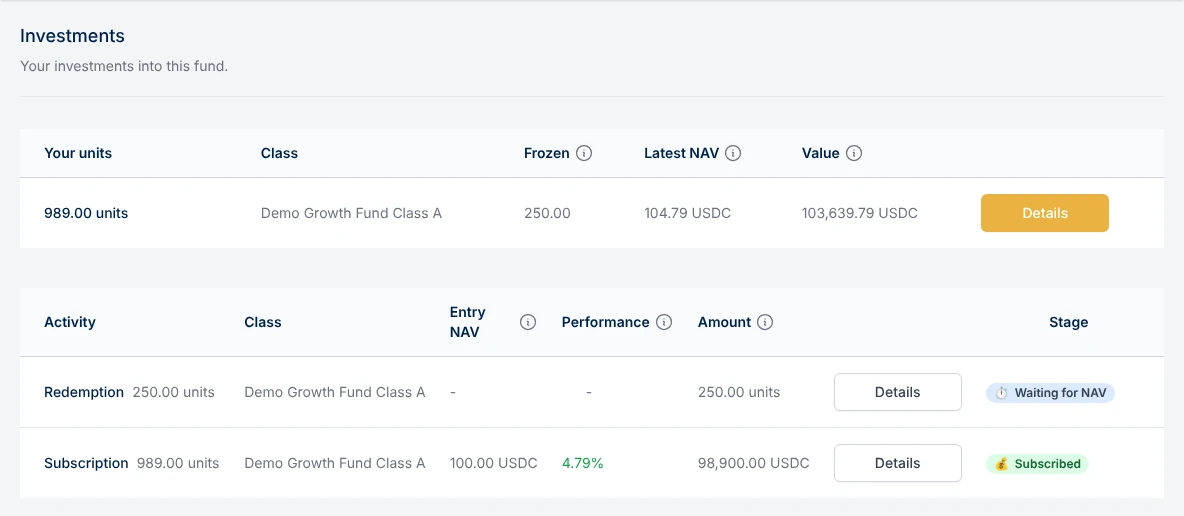
1. Register a Redemption Request
1.1. Request a Redemption (as an Investor)
As an investor, if you wish to redeem your fund units:
- Log in to the platform.
- Navigate to the "Investments" tab on the left-side menu.
- Select the holding (one per share class) you want to redeem and click the "Redeem" button.
- Choose the number of units you wish to redeem (Redeem Max fills in all your free units).
- Click Redeem and sign the transaction.
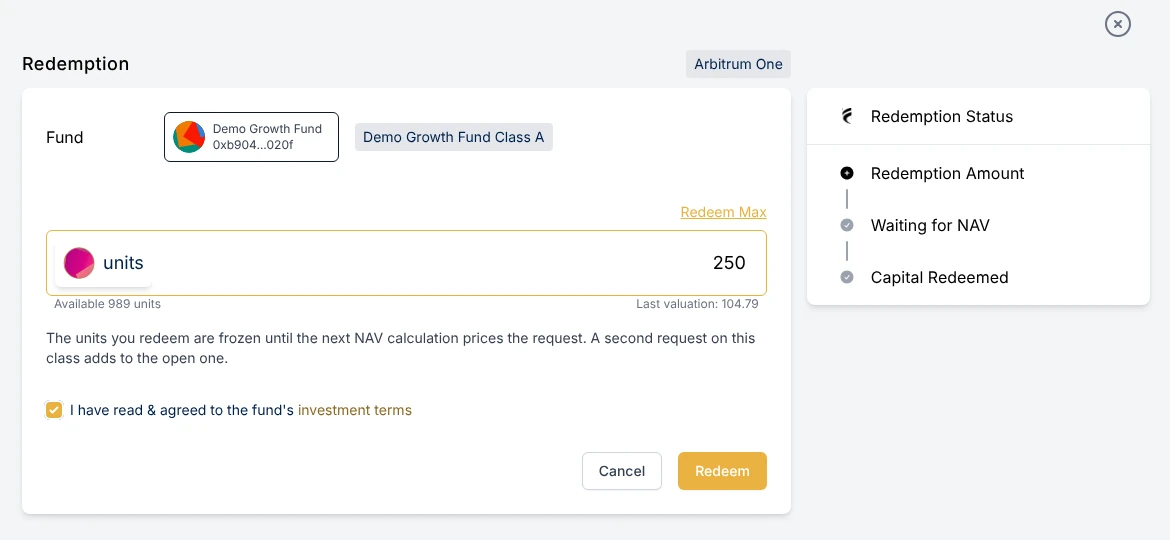
Only free units can be redeemed: units still in a lock-up period, or frozen by the manager, cannot. While the fund is paused, new redemption requests are not possible.
Once submitted, the units are set aside for the redemption and the request is processed at the next NAV calculation. At that time, the units are burned at the class price, net of the class's exit fee and the Fume fee, and the amount owed is registered in the fund's liabilities, awaiting settlement.
1.2. Force a Redemption (as a Manager)
As a manager, you can also force a redemption for an investor. This method is commonly used for off-chain investments or when you need to initiate the redemption without waiting for a request from the investor.
To force a redemption:
- Navigate to the Holders tab of Investors > Holders & invited.
- Find the investor's holding in the class, and open its details.
- Select Confirm Redemption Request.
- Choose the redemption date and the number of units to redeem.
The redemption request will be submitted, and after the next NAV calculation event, the investor's units will be burned, and their redeeming amount will be added to the fund's liabilities.
2. Settle Redemption Liability
2.1. On-chain Redemption
An on-chain redemption is treated just like any other liability of the fund. To complete the redemption process, the manager must settle the liability and transfer the redemption amount to the investor. For further guidance, follow the steps outlined in the "Settle Liabilities" section.
2.2. Off-chain Redemption
An off-chain redemption (similar to off-chain subscriptions) is when the liquidity flow doesn't go through the smart contract. Let's imagine an investor receives the payment directly to their bank account or is getting paid in-kind with a transfer of the underlying assets (e.g. stocks).
In this scenario, we need to notify our on-chain fund of this transfer so that we could remove the entry from the liabilities.
- Navigate to Flows > Outflows.
- Find the desired redemption liability to be settled.
- Click Pay next to the amount. The Settle Redemption Manually dialog opens.
- Enter the payment date, confirm that the redemption was paid outside the platform, and submit the transaction.