🏗️ Fund Setup
Setting up your on-chain fund in Fume is straightforward. Follow the steps below to configure your fund’s essential details, fees, wallets, and settings.
Setting up your on-chain fund in Fume is straightforward. Follow the steps below to configure your fund’s essential details, fees, wallets, and settings.
General Information
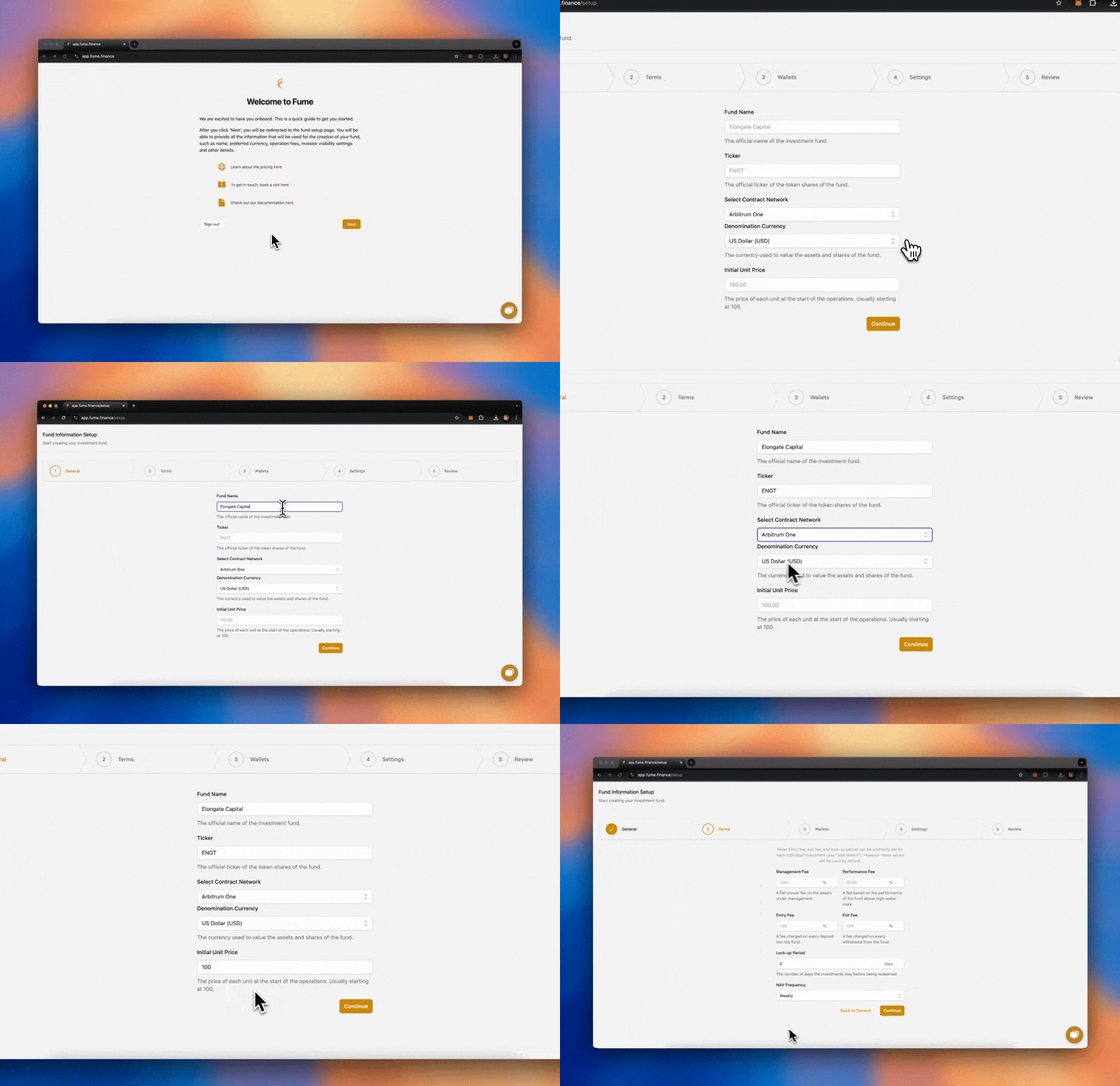
The first step is to define the core details of your fund:
- Fund Name: This is the name of your fund.
- Ticker: The ticker is the symbol associated with your tokenized fund units. Hover over the info icon next to this field for guidance on choosing a ticker.
- Base Currency: The stablecoin used for accounting and subscriptions. Common choices include USDC and USDT.
- Blockchain Network: The network on which your fund's smart contract will be deployed. Fume supports Ethereum, Arbitrum One, Base, and BNB Smart Chain (BSC). We recommend Arbitrum One for its lower costs and faster transactions.
- Initial NAV: The starting Net Asset Value per unit. This is the price at which the first units are issued to your early investors. It is commonly set to 100.00.
Fees
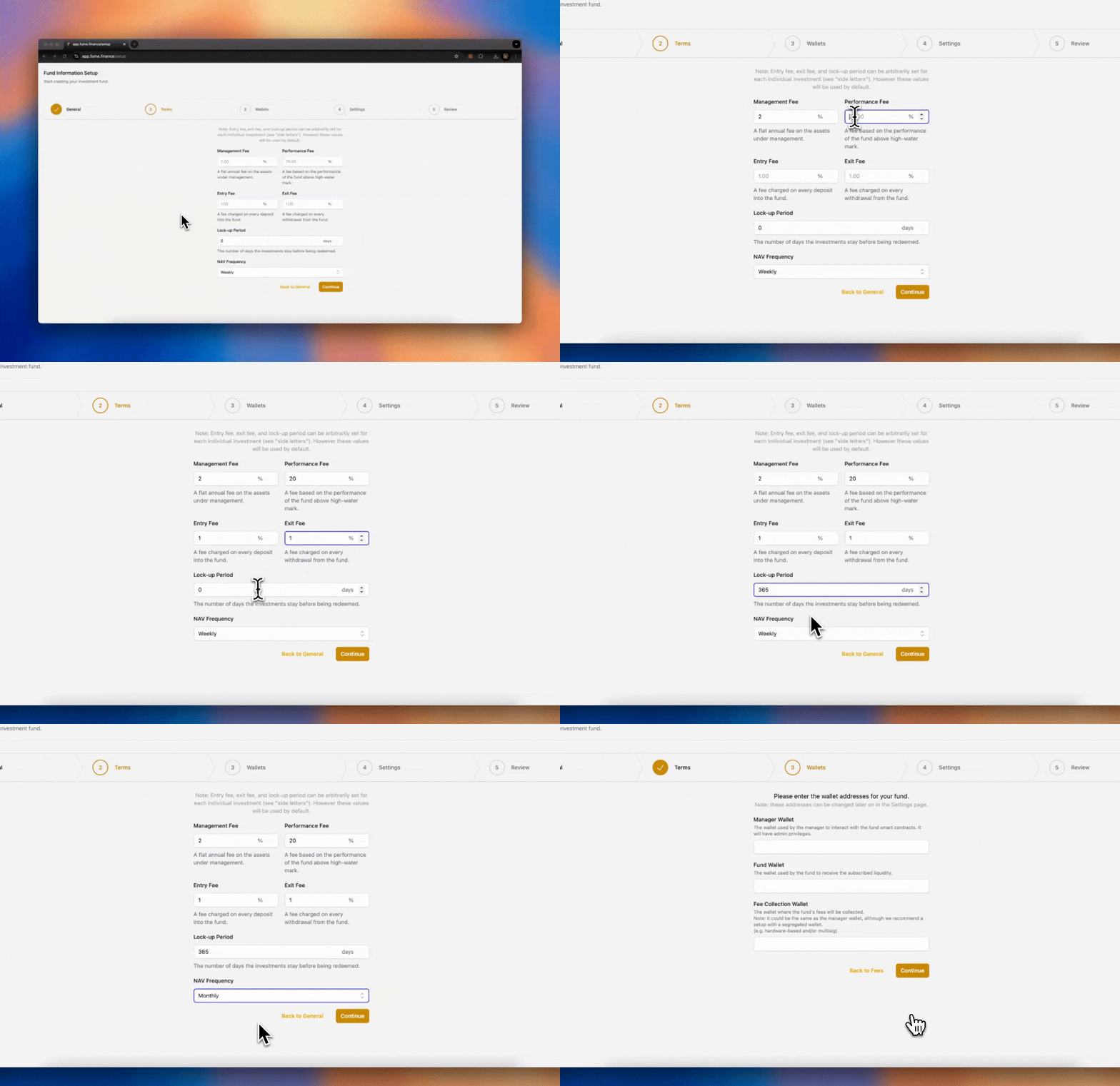
Now, define the fee structure of the fund. These fees will apply to investor transactions:
- Management Fee: Typically a percentage of the fund’s total value.
- Performance Fee: A percentage of profits (above the high-water mark).
- Entry Fee: This is the fee applied to new subscriptions into the fund.
- Exit Fee: This is the fee applied when investors redeem their shares.
- Lockup Period: The lockup period defines how long investors must wait before they can redeem their shares.
- NAV Frequency: Define how frequently the NAV should be calculated and updated.
Note: The entry and exit fees, as well as the lockup period, can be adjusted later on and even customized on a per-investor basis.
Wallets
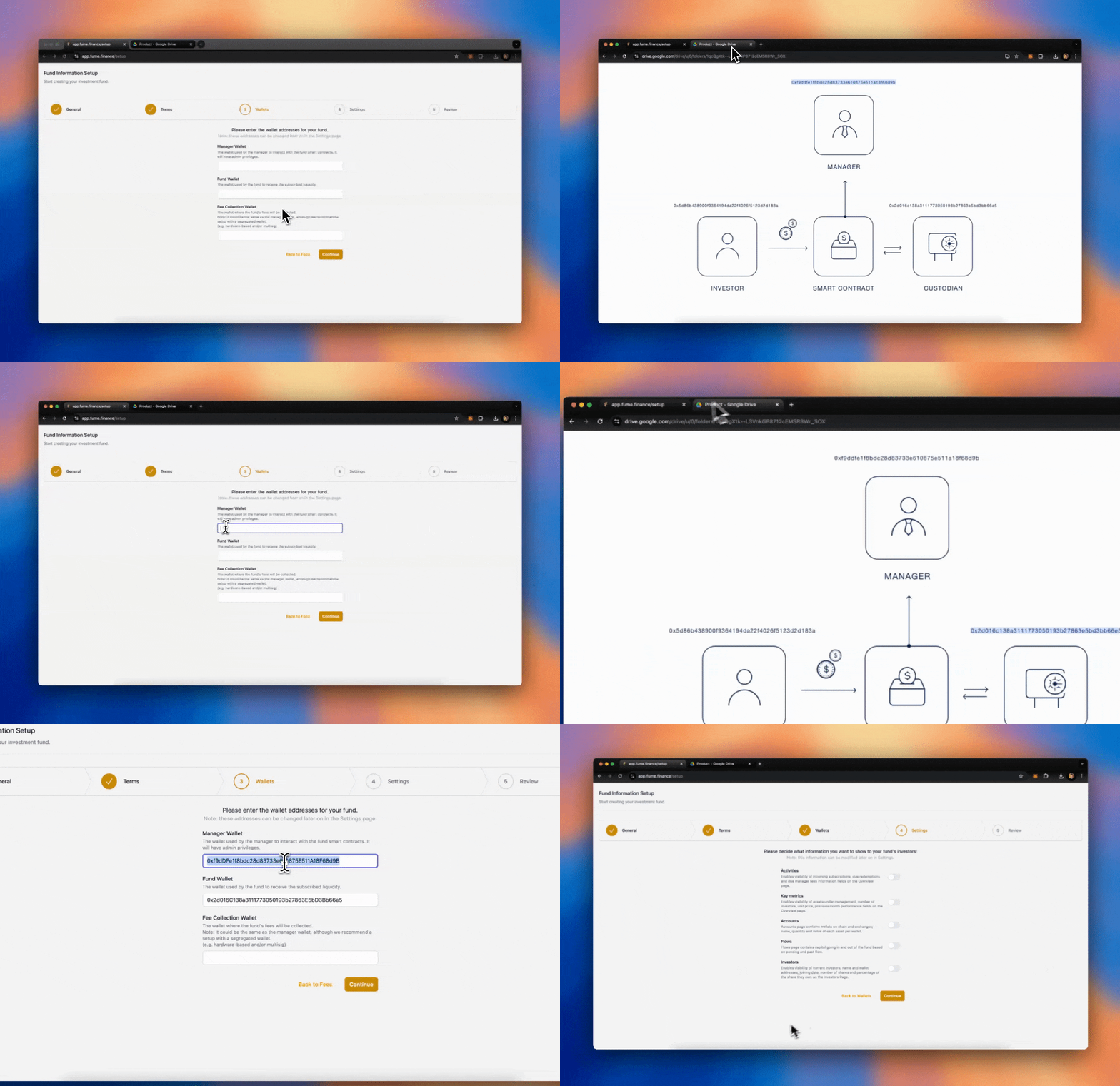
Next, you need to configure three wallets for your fund:
- Governance Wallet: This is the wallet that the fund manager uses to control the on-chain fund. The manager can whitelist investors, interact with the fund, move liquidity, and manage fee payments. For example, you can use a MetaMask wallet or a more secure solution such as a multisig like SAFE or Fireblocks.
- Custodian Address: This is the wallet where the liquidity for the fund is stored. The fund manager can connect any custody solution here, such as a multisig, MPC, or even a centralized exchange. This wallet holds the underlying assets of the fund.
- Fee Collection Address: This is where the management, performance, entry, and exit fees are collected. In some cases, the fund manager might use the same address for both the governance wallet and fee collection.
Note: These wallets can be updated later on.
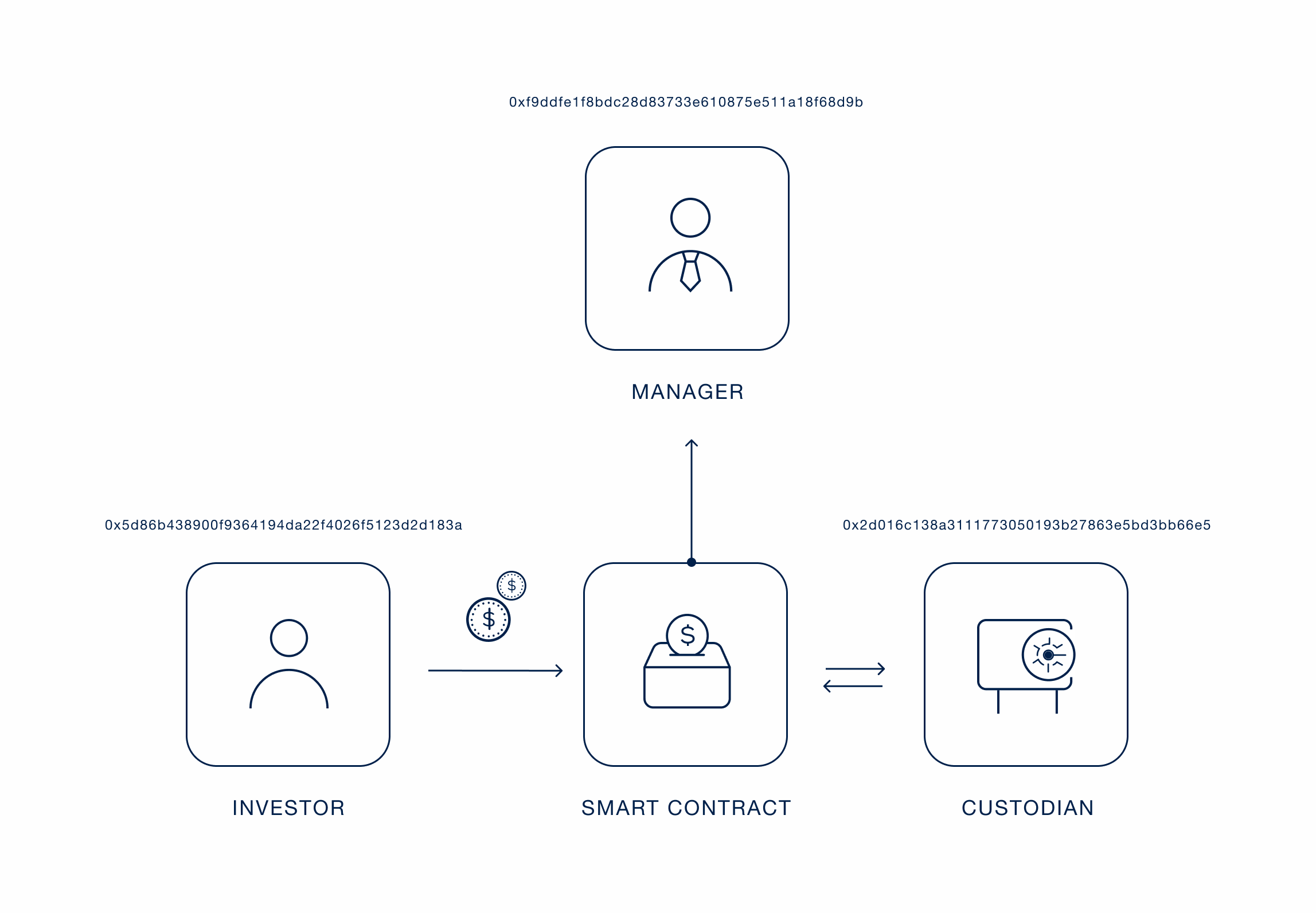
Example of wallets for an On-chain Fund
Transparency
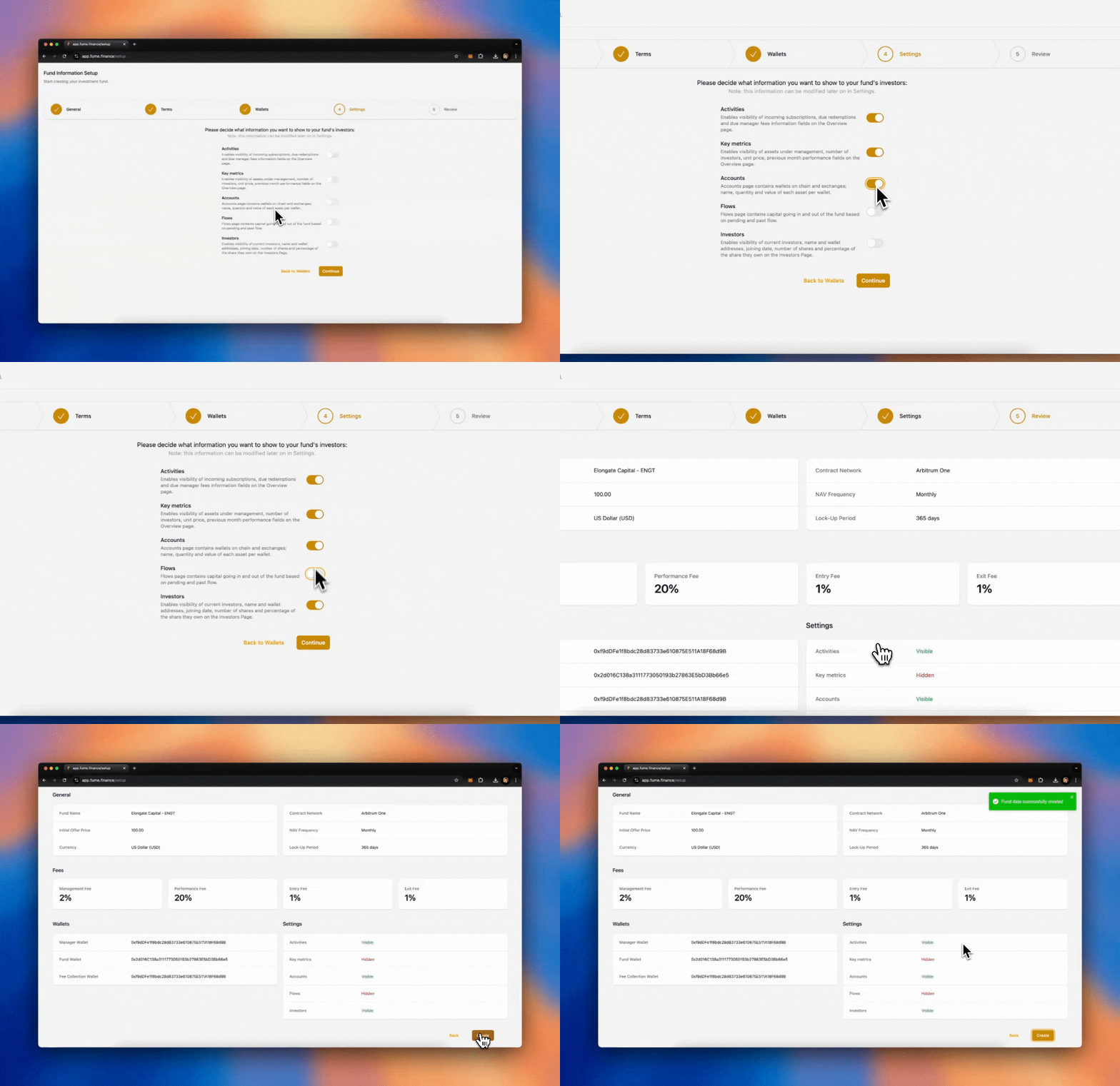
Finally, you can configure the transparency settings for your fund. Decide how much information you want to make visible to investors. You can choose to provide full transparency or limit access to specific metrics. You may allow investors to see:
- Key Metrics: NAV, performance, fees.
- Flows: Inflows and outflows of capital.
- Shareholder Registry: Information about other investors in the fund.
You can fully customize these settings to match your preferences. You may decide not to show certain details, like the underlying assets or specific flows, while still making other information available.
Accounting method
Choose how the fund handles investor positions during each NAV calculation. Equalization-Based (the default) adjusts all investor positions at each NAV event so everyone is treated fairly, regardless of when they invested. Series-Based tracks each group of investors who enter at the same time as its own series, with its own entry price, high-water mark, and fee calculations. When conditions align, series can be merged.
Unit classes
If you need to offer different terms to different groups of investors (for example, a lower management fee for early backers or a different lockup period for institutional investors), you can create multiple unit classes within the same fund. Each unit class operates as its own set of terms (fees, lockup, etc.) while sharing the same underlying portfolio and NAV calculation. You can set up unit classes during the initial fund creation or add them later from the Settings page.
Customization
Pick primary and accent colors that match your brand, and upload your fund's logo. It appears across the platform wherever your investors interact with the fund. Both can be changed later from the Settings page.